
This ReStory walkthrough gives you a practical route through repairs, shop upgrades, online orders, assembly competitions, and story choices. Start by finishing the task shown on the workbench, clean every marked component, replace only confirmed broken parts, and check the request again before delivery. The game rewards careful diagnosis more than speed, so a tidy bench and a safe save are more valuable than guessing at an unfamiliar device.
Quick-start priorities for your first days
Accept the guided counter jobs first because they introduce inspection, disassembly, cleaning, replacement, reassembly, and delivery in a controlled order. Keep removed screws and components grouped instead of scattering them across the bench, then compare the rebuilt device with the task checklist before closing the job. If a prompt introduces paint, stickers, or firmware, complete only the service the customer requested rather than adding every available customization.
The complete repair loop
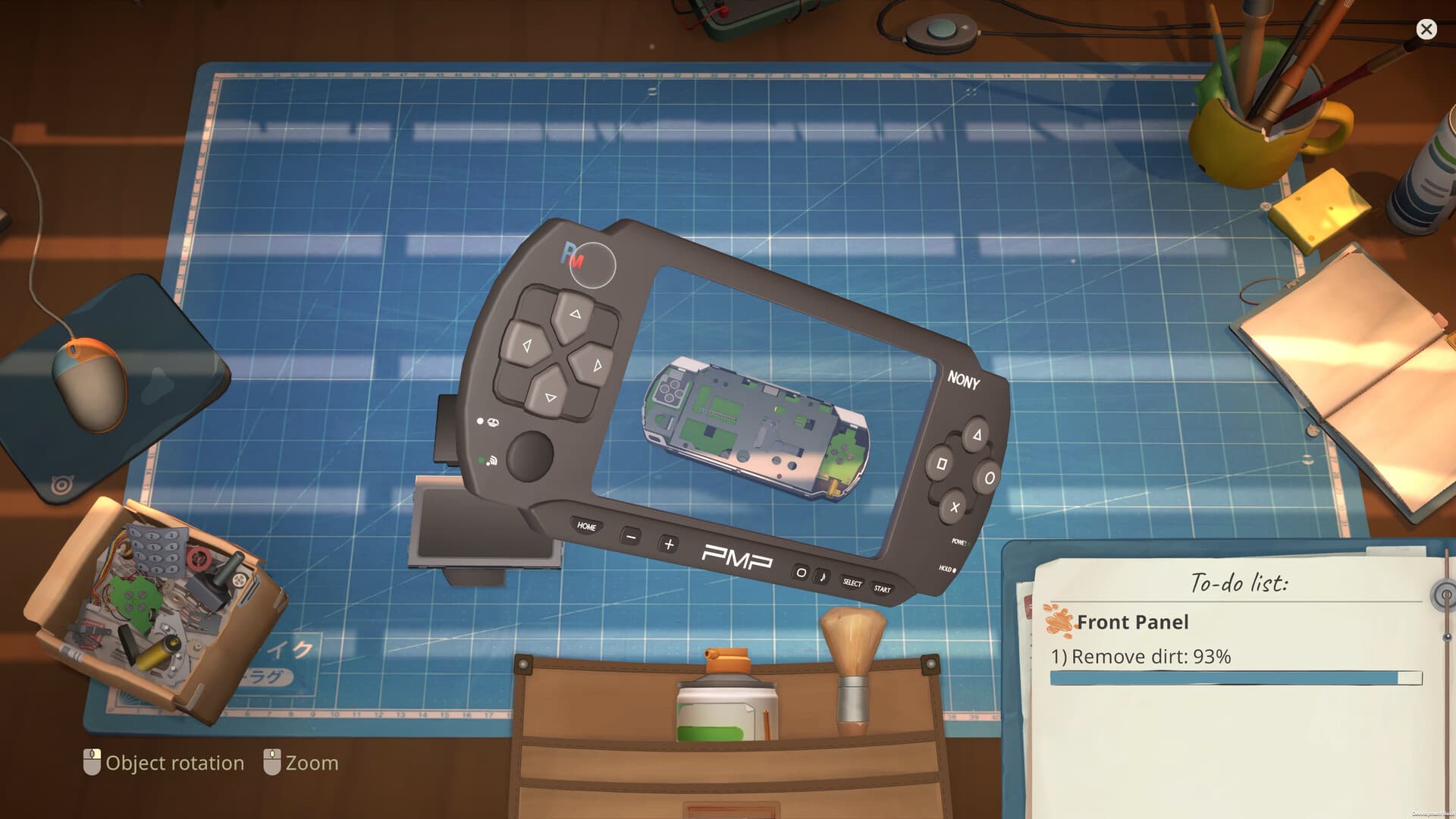
The official Steam store describes a hands-on loop built around accepting devices, opening them, cleaning their internals, repairing or replacing components, customizing requested details, and returning the finished work. On the bench, follow the visible task list because it tells you whether cleaning, replacement, firmware, or appearance work remains. Do not use a real-world teardown as an exact recipe, since ReStory simplifies internal layouts and action order for play.
Begin with a visual inspection and rotate the device until you understand which panel opens first. Remove fasteners before lifting connected pieces, place each part where you can find it again, and use the appropriate tool only when the game highlights a valid interaction. Before reassembly, scan the exposed layers one more time for grime or an unresolved damaged component.
Rebuild in the reverse order of removal and avoid forcing a part that will not seat. A missing screw, hidden connector, or component placed one layer too early can stop the casing from closing even when the repaired part is correct. When the device is complete, review the customer request instead of assuming that a powered-on gadget automatically satisfies the order. If its counter will not move, use the dedicated cleaning parts guide before dismantling everything again.
Tools, spare parts, and shop money
Treat tools as capacity upgrades rather than collectibles. Buy the tool or license that unlocks a job you can already see, then keep enough cash for required replacement parts and recurring shop expenses. Expanding too early can leave you with more possible work but no budget to complete the device currently on the bench.
Store reusable components when the game allows it and check that inventory before ordering. Salvaged stock can protect your margin, while random marketplace buying can trap money in parts with no immediate customer. The best early spending rule is simple: fund confirmed work first, then convenience, then cosmetic experimentation.
Reviews and payment connect repair quality to future shop progress. Clean thoroughly, meet the requested service, and deliver only when the checklist is complete, because rushing a nearly finished job risks both income and reputation. Exact prices and the best universal upgrade order are Pending confirmation, since they can vary by job availability, player choices, and balance patches.
Licenses, email jobs, and online orders
Counter customers provide story context and guided repairs, while email or online orders broaden the device pool and create repeatable shop work. Read the order details before accepting because a profitable-looking payment may require a license, tool, firmware action, or part you do not own. Compare the likely purchase cost with the reward and your current cash reserve before committing.
Assembly competition shortcut
Assembly contests test recognition and order rather than ordinary diagnosis. A community-discovered technique is to press Escape, open the notebook shown on the right, and review the recorded component sequence before continuing. Hover through the components from top to bottom and use the highlight behavior to identify the next matching piece, but remember that this is a player technique and may change with patches.
The currently documented contest set contains 29 device categories. One English community walkthrough omitted Brick Game, while a later assembly reference included it, so it is listed here to prevent an incomplete practice checklist. Model spelling can vary between localizations, and the names below follow the strongest current English or in-game-style evidence.
- Nony PMP; Atari 2600; Atari CX40; Nony PlayMachine; Eggotchi
- Patento BS; Atari Lynx; Brick Game; Game Duck; BreadBox Joystick
- XI-box Controller; XI-box; Pokia 3310; Autorola Razor; Pokia N-Joy
- Simsons M65; Blueberry Curl; Wertu Signature; Unicorp 99L; Unicorp Kettle
- Autorola WT2000; Unicorp Vision; Robby; Nerdio W-91F; Guitar Legend
- Nony Goman; Mapple Mypod; Palaloid; IDM ThinkerDad
The community assembly reference also points to a video demonstration covering the sequence. Use it to recognize shapes and ordering, not as proof that every contest prompt or timing rule is fixed forever. If a model name in your build differs from this list, trust the notebook inside your current version.
Story choices and safe saving
Customer dialogue is part of progression, not decorative text. The ReStory choices guide explains why you should pause before invitations, courier decisions, or late conversations about Akihabara's future. Keep a separate backup before a choice you may want to compare, because the game does not advertise a chapter-select menu.
The two clearest final achievements are Rock for the ages! and Globalization, with Origami, Melancholy, Ronin, and Ghost in the Frame marking notable character outcomes. Finish open conversations before advancing a major story beat, and revisit customers after their repairs because follow-up dialogue may carry the route trigger. For detailed spoiler-marked steps, use the dedicated endings guide rather than choosing from an unverified dialogue quote.
Launch-version problems and practical checks
The official Steam news feed has documented launch issues involving Guitar Legend and Mypod firmware, IDM ThinkerDad disassembly, ultrawide displays, and some device interactions. Before restarting a long repair, update the game, return to the main menu, reload the save, and check whether the problematic interaction is part of a known issue. Do not repeatedly sell parts or overwrite your only save while testing a workaround.
Completion and postgame play
ReStory lists 50 Steam achievements and an official main-story estimate of more than fifteen hours, with total time depending on play style. Completion includes repair milestones, shop progress, character routes, and the two named final outcomes, so one story finish is not the same as 100 percent. Continue resolving online orders and route-specific saves after the credits if your goal is a full achievement run.
What this walkthrough can verify
This guide uses official feature descriptions and issue posts for the repair loop, supported devices, achievements, playtime, and known technical problems. It uses the assembly guide only for the 29-item contest checklist and notebook technique, both of which remain community evidence. Exact day-by-day objectives, universal prices, and a perfect upgrade order are still unverified and should not be treated as fixed rules.
The page was reviewed on August 11, 2026, close to launch, when fixes and route discoveries were still arriving quickly. Follow the prompts in your installed version whenever they differ from a screenshot or player guide, and preserve a backup before testing uncertain advice. That approach keeps this walkthrough useful without turning an early community discovery into a promise the game does not make.